






The Truth About Smart Thermostat Auto-Switch Features During Unpredictable Fall Weather

The 'Set It and Forget It' Myth: Why Auto Mode Fails in Early Fall
Smart thermostat manufacturers heavily market the ultimate convenience of “set it and forget it” automation, but discovering the truth about smart thermostat auto-switch features during unpredictable fall weather reveals a very different reality. The promise is simple: set your ideal temperature once, and the smart device will seamlessly toggle between heating and cooling to keep your home perfectly comfortable. However, during the September fall transition, this automated feature often becomes your system's worst enemy. Instead of providing seamless comfort, leaving the system on Auto causes it to constantly flip back and forth. Your HVAC system ends up fighting itself, wasting energy and causing unnecessary mechanical strain. As a homeowner, you have to decide whether to rely on this flawed automated convenience or take control by switching to dedicated modes with scheduled setbacks.
Whether you need dependable heating services for the upcoming winter or simply want to schedule HVAC service to undo summer wear and tear, understanding how your thermostat actually operates is the first critical step.
The marketing disconnect: National technology companies design these thermostats in laboratories, assuming weather changes gradually over weeks or months. They program the algorithms for stable climates where a day is either strictly a "heating day" or a "cooling day." They do not account for microclimates where the weather shifts drastically within a single afternoon. When you rely on factory default settings, you are trusting an algorithm that doesn't understand the physical reality of the climate outside your front door.
The comfort illusion: Many homeowners assume that if the house feels fine, the thermostat is doing its job perfectly. What they don't see is the chaotic cycle happening behind the scenes. The furnace might run for ten minutes at 3:00 AM, only for the air conditioner to kick on at 2:00 PM, followed by the furnace firing up again at 8:00 PM. This is not efficient climate control; it is a localized tug-of-war that drives up utility bills and quietly damages expensive equipment.
What Is a Thermostat Deadband and Why Does It Matter?
To understand why Auto mode fails so spectacularly in the early fall, you have to look at the underlying mechanics of how the thermostat decides to switch modes. The most important concept is the "deadband." A deadband is the temperature gap between your designated heating setpoint and your cooling setpoint when the device is in Auto mode. It is the neutral zone where the system remains idle.
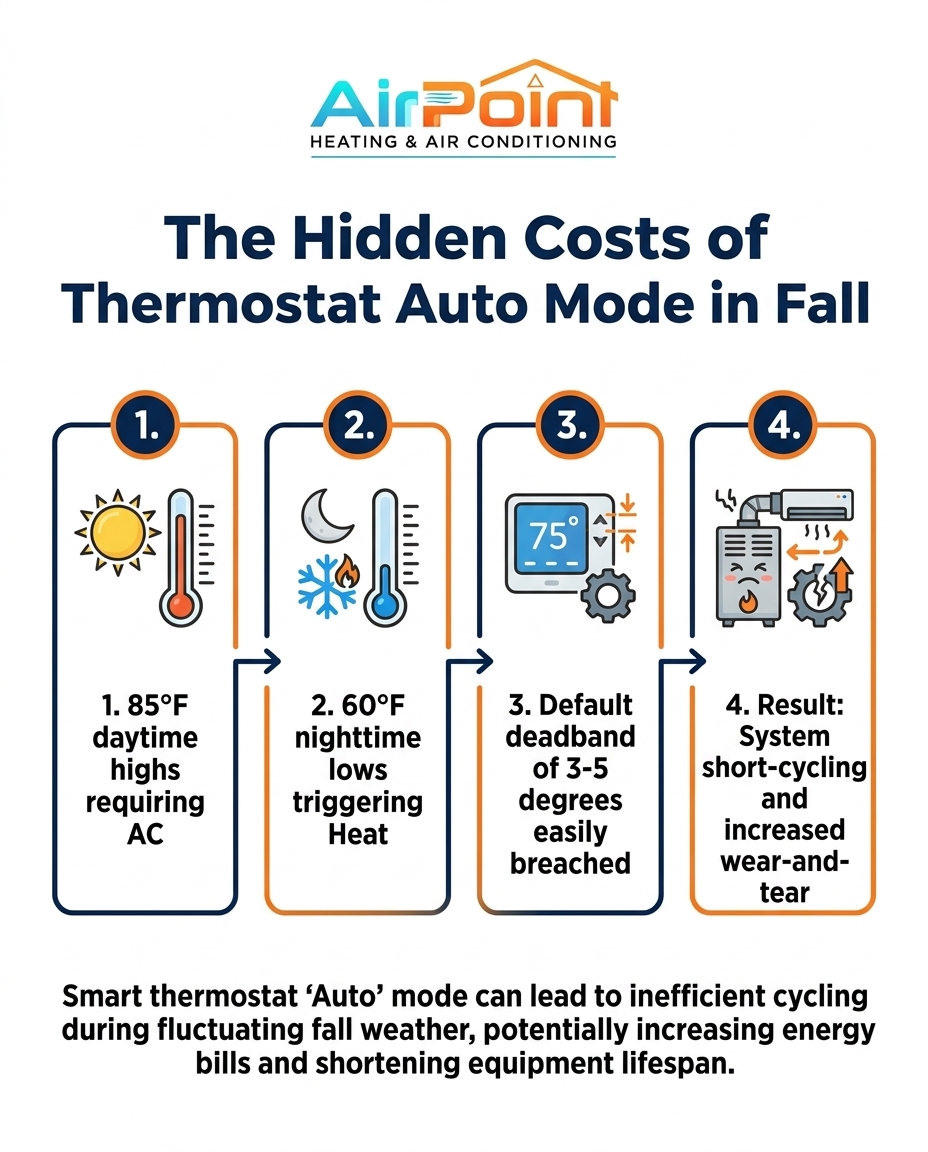
Most smart thermostats default to a very narrow deadband of just 3 to 5 degrees. For example, if you set your cooling to 74°F, the system might automatically set your heating to 70°F. In a perfectly insulated vacuum, this sounds ideal. But in reality, when you experience 85°F daytime to 60°F nighttime temperature swings, the indoor temperature easily breaches this narrow gap.
• Cooling Setpoint — Temperature Range: 74°F or higher — System Action: Air conditioner turns on to remove heat
• The Deadband (Neutral Zone) — Temperature Range: 71°F to 73°F — System Action: System remains completely idle
• Heating Setpoint — Temperature Range: 70°F or lower — System Action: Furnace turns on to add heat
When temperatures fluctuate rapidly outside, the indoor environment follows suit. A breached deadband triggers the system to immediately switch modes. Because HVAC systems are powerful, they often "overshoot" their target slightly. If the furnace runs to warm the house up to 71°F, residual heat in the ductwork might push the indoor temperature to 74°F, instantly triggering the air conditioner to turn back on. This creates a wasteful loop.
• Narrow deadbands cause overreactions: A 3-degree gap gives the home no room to naturally drift with the outdoor weather.
• Thermal momentum: Heavy materials in your home (like tile floors and thick furniture) hold onto heat or cold, pushing the ambient air temperature past the thermostat's narrow limits.
• Sensor sensitivity: Smart thermostats are highly sensitive and will trigger a massive 3-ton HVAC system over a fraction of a degree of temperature change.
How the Coastal Marine Layer Triggers Unwanted Heating
The failures of Auto mode are magnified by specific regional weather patterns. In Los Alamitos and surrounding coastal Southern California, inland and coastal microclimates experience drastic, rapid shifts. The defining feature of the early fall transition is the late afternoon marine layer.
The problem: Homes absorb massive amounts of solar radiation during the day. The roof, the attic, and the walls soak up the heat from the 85°F afternoon sun. This prompts the air conditioner to run continuously late into the afternoon just to maintain a comfortable baseline. The system works hard to extract that absorbed heat from the living space.
The cause: Around 5:00 PM or 6:00 PM, the coastal marine layer rolls in. This dense, cool, moisture-laden air acts like a blanket, but it drops the outside temperature with shocking speed. Within an hour or two, the exterior temperature can plummet. Because the house was just being aggressively cooled by the AC, the sudden drop in outdoor temperature causes the indoor temperature to fall rapidly, crashing right through that narrow deadband and hitting the heating setpoint.
The solution: This specific climate pattern guarantees that Auto mode will trigger the furnace almost immediately after the AC shuts off. The only way to prevent this is to stop relying on the algorithm. Recognizing this local weather phenomenon allows you to switch the system off entirely during the evening, letting the marine layer naturally cool the home without electricity, or locking the system into a single dedicated mode for the day.
The Hidden Costs of Your HVAC System Fighting Itself
Switching between heating and cooling in the same 24-hour period does more than just inflate your utility bill. It takes a significant physical and mechanical toll on the equipment. Your air conditioning and heating components are designed to run in long, steady cycles. When Auto mode forces them to short-cycle—turning on and off rapidly to chase a narrow temperature window—the internal components suffer.
Compressor stress: The AC compressor requires a massive surge of electricity to start up. If the system is constantly toggling between heat and cool, the compressor starts and stops far more often than it should. This repeated electrical surge degrades the contactors, weakens the capacitors, and overheats the compressor motor itself.
Poor dehumidification: Short-cycling prevents the system from running long enough to properly dehumidify the air. An air conditioner needs to run for at least 15 to 20 minutes to draw moisture out of the indoor air. If Auto mode shuts the AC down after just five minutes because it hit the narrow deadband, your home will feel cold but clammy.
Accelerated degradation: This unnecessary wear-and-tear accelerates the degradation of internal components, leading to premature breakdowns. Fans, blowers, and ignition switches all have a finite number of cycles in their lifespan. Wasting those cycles to fight the natural evening cooldown means you will have to replace those parts years earlier than expected.
Why Routine Maintenance Matters After a Demanding Season
Systems stressed by constant mode-switching require thorough inspections to ensure electrical and mechanical parts are intact. Preventative maintenance is critical to undoing the stress caused by seasonal temperature swings and improper thermostat settings. National brands don't design their algorithms for Los Alamitos microclimates, which is why local preventative maintenance is so essential.
One local homeowner recently scheduled a preventative check-up for their heating and AC system after noticing strange cycling behaviors. The technician performed a thorough check of the entire system, explaining the potential issues caused by the heavy wear-and-tear of the changing seasons. By addressing the minor wear early, the customer felt completely confident in the system's future performance. A comprehensive tune-up catches these minor electrical and mechanical fatigues before they cascade into a major failure during peak winter or summer.
Better Thermostat Strategies for the Fall Transition
You do not have to be at the mercy of a confused algorithm. There are highly effective, actionable strategies to manage your home's comfort during the September fall transition without forcing your equipment to fight itself. The key is intentionality rather than automation.
1. Switch off Auto mode entirely: The most direct solution is to select either dedicated 'Cool' or 'Heat' based on the dominant daily weather. If the forecast calls for 85°F, lock the system in 'Cool' mode. Even if the house gets a little chilly at night, the furnace will remain locked out, saving energy and preventing short-cycling.
2. Utilize scheduled setbacks: Allow the home's temperature to drift naturally during the rapid evening cooldown. Program your thermostat to allow a wider temperature range while you sleep. If you are adjusting your thermostat schedule for back-to-school season, factor in the hours the house is empty to maximize these setbacks.
3. Leverage the natural environment: Open windows during the evening marine layer to naturally cool the home without engaging the HVAC system at all. The heavy, cool air from the coast is highly effective at flushing out stagnant, warm indoor air.
4. Adjust daily schedule programs: Account for changing family routines rather than relying on automated temperature triggers. If the house is empty during the hottest part of the day, program the AC to rest, and schedule it to cool the house down just before you arrive home.
5. Use ceiling fans strategically: Moving air feels cooler on the skin. By running ceiling fans in occupied rooms, you can set your dedicated cooling mode a few degrees higher without sacrificing personal comfort, further keeping the system from overworking.
Taking manual control of your modes might seem less "smart" than letting the thermostat decide, but it is actually the most intelligent way to manage your home's energy footprint during unpredictable transitional weather.
Frequently Asked Questions: Managing Smart Thermostats in Fall
Before diving into specific settings, remember that maintaining your equipment is just as important as programming it. Joining the Airpoint Membership ensures your system is properly calibrated for these tricky seasonal shifts, protecting it from the wear and tear of transitional weather.
Why is my smart thermostat switching between heat and cool?
It is set to Auto mode with a narrow deadband. Rapid outdoor temperature drops cause the indoor temperature to fall below the heating threshold shortly after the AC turns off. When you experience 85°F daytime to 60°F nighttime temperature swings, the house easily breaches the 3-degree gap most smart thermostats use by default. The system is simply following its programming, aggressively trying to hold a hyper-specific temperature rather than letting the house breathe.
Should I leave my thermostat on auto or heat/cool?
During transitional seasons with extreme daily temperature swings, dedicated heat or cool modes are far more efficient. Auto mode is only recommended for well-insulated homes during highly stable weather patterns. By choosing a dedicated mode, you lock out the opposite function, ensuring the furnace doesn't accidentally fire up on a warm afternoon just because a cloud blocked the sun and dropped the indoor temperature a single degree.
Does auto mode use more energy?
Yes, if it causes the system to heat and cool the same space within a few hours. Fighting the natural temperature drift of the home wastes significant energy compared to dedicated modes. Every time the system fires up to correct a minor temperature fluctuation, it draws a massive surge of electricity. Letting the house naturally cool off in the evening uses zero energy, whereas Auto mode might run the furnace to stop that natural cooling.
What is a good deadband setting for a thermostat?
If you must use Auto mode, expand the deadband to at least 8 to 10 degrees. This prevents the system from triggering the furnace immediately after a daytime AC cycle. A wider deadband tells the thermostat to relax and allows the indoor temperature to fluctuate naturally with the time of day. For example, setting cooling to 76°F and heating to 66°F provides a massive buffer that transitional weather rarely breaches in a single day.
Should the thermostat fan be set to Auto or On?
Always set the fan to Auto so it only runs during active heating or cooling cycles. Leaving the fan 'On' continuously can pull humidity back into the home and increase energy consumption. When the AC shuts off, the indoor coil is still dripping with condensation. If the fan keeps running, it simply evaporates that water and blows the humidity right back into your living room, making the air feel sticky and uncomfortable.
Take Control of Your Comfort This Season
Relying on automated settings during unpredictable weather causes more harm than good. The September fall transition brings beautiful evenings, but those rapid temperature drops wreak havoc on smart thermostats left to their own devices. Taking manual control of your dedicated modes—locking in either heat or cool depending on the day—protects your equipment, prevents short-cycling, and significantly lowers energy waste.
Don't let a confused algorithm dictate your comfort or degrade your equipment. Ensure your system is ready for the changing seasons and fully recovered from summer stress by choosing to schedule HVAC service today. A professional evaluation will address any wear-and-tear, leaving you with a clear explanation of how to properly configure your smart thermostat for the months ahead.
"Other Blogs
Latest Blog Posts

Why Coastal Long Beach Homes Often Need Different Heat Pump Defrost Cycles
Factoring in Heating Efficiency (HSPF) When Comparing Heat Pump Options in Fall
Do UV Light Purifiers Actually Neutralize Fall Mold Spores in Your HVAC System?

Customer Testimonials



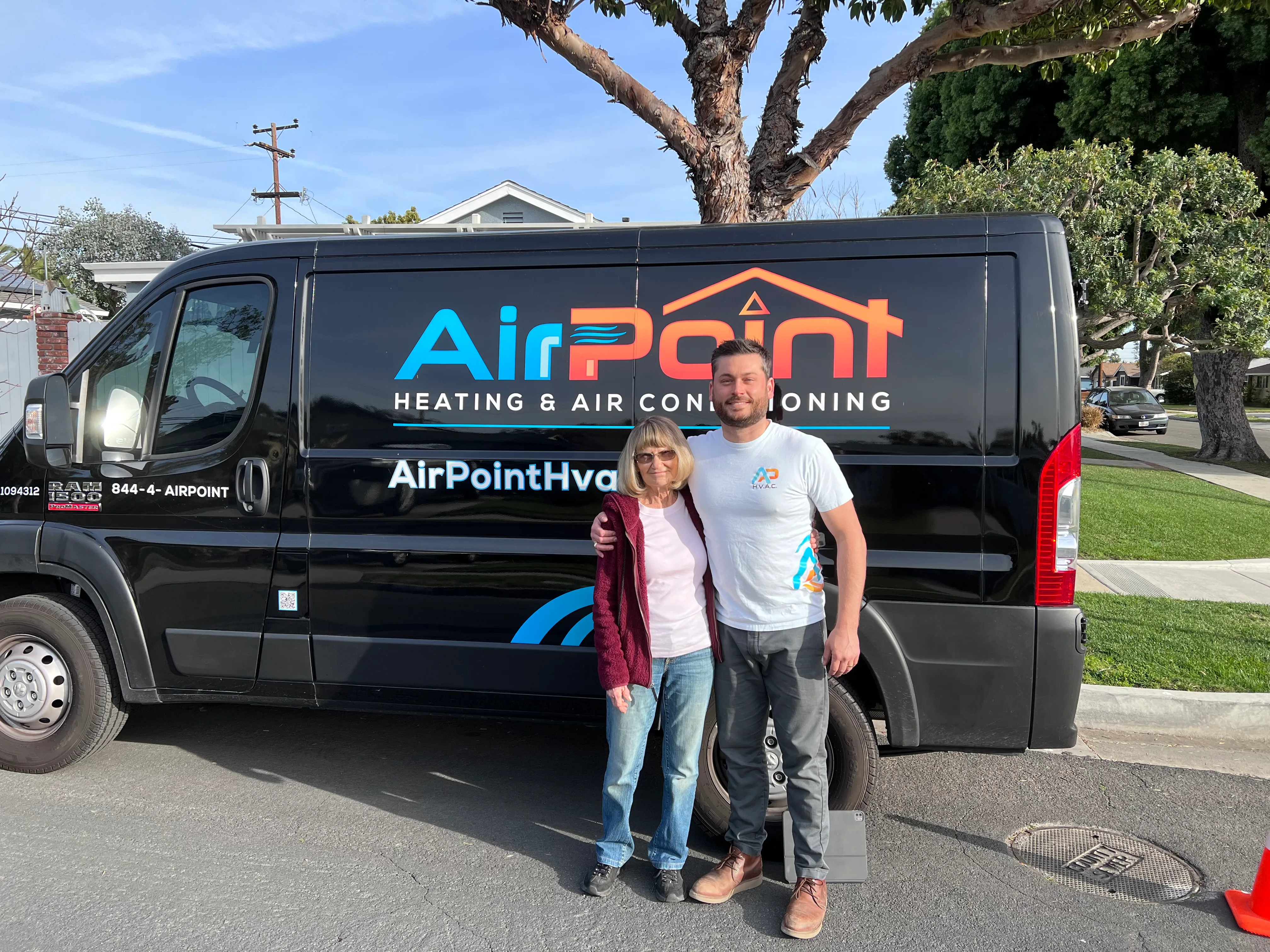
I recommend Air Point for your HVAC needs."